
FOR INSTITUTIONS & EXAM TEAMS
One workflow.
From paper to results.
For schools, universities, training providers, certification bodies, and corporate teams. ProctorGrid helps administrators, examiners, evaluators, and proctors prepare, deliver, monitor, and grade exams.
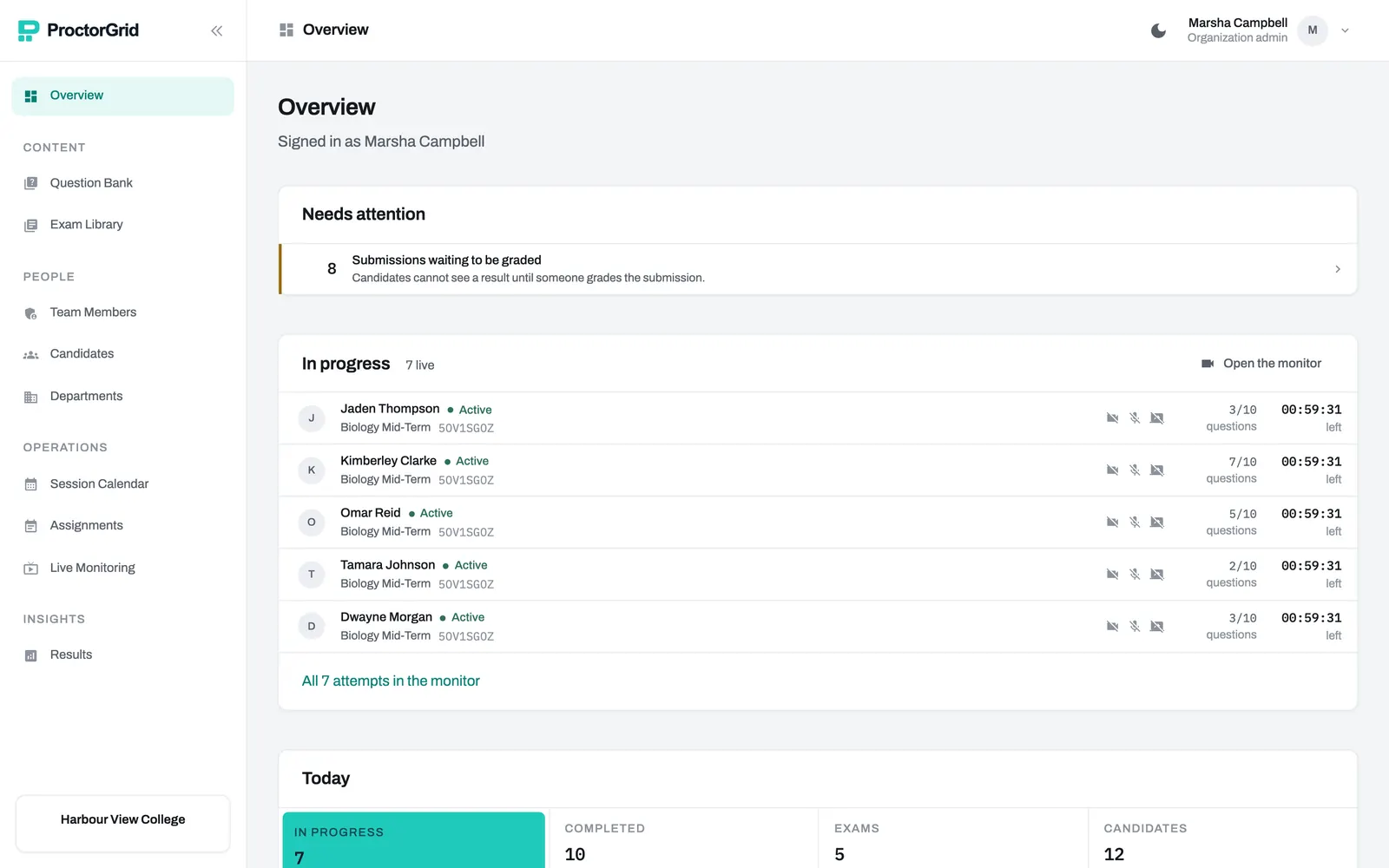
Two ways to build an exam.
From a question bank. Create multiple choice, multiple answer, short answer, essay, numeric, and file-submission questions. Add images, audio, or video to your prompts. Organize them by subject and difficulty, then reuse them across exams.
Prepare candidates first. Share private videos and PDFs as standalone training or required exam preparation. Record acknowledgments, playback progress, and knowledge-check results.
From your own question paper. Upload a PDF or a photo of each page. Then describe the answer sheet in plain terms, such as "questions 1 to 10 are multiple choice, A to D, one mark each". Choice and number answers can be marked automatically. Short answers and essays go to a person.
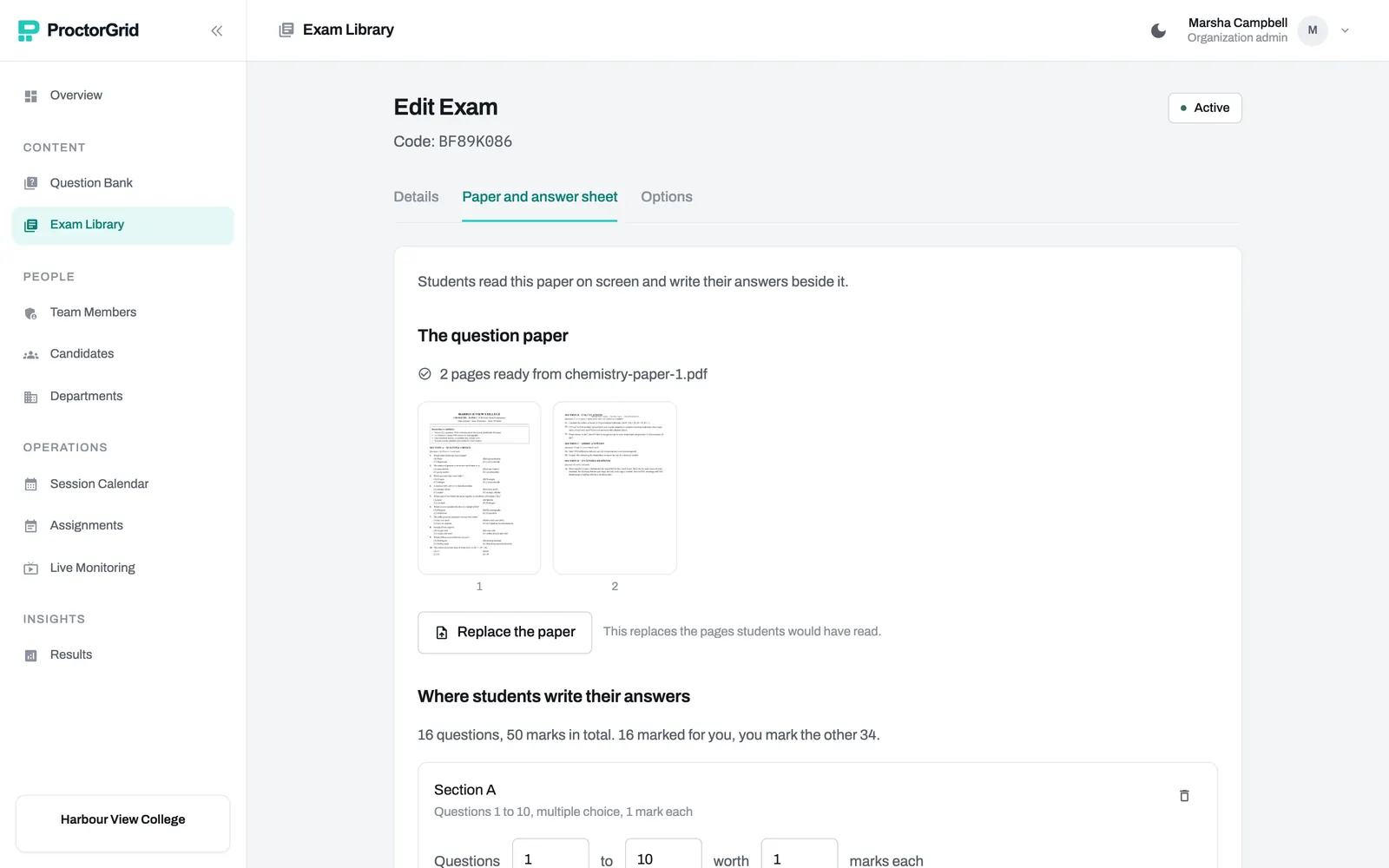
Settings that match how you run exams.
- TimeA fixed duration, a start and end window, or no time limit for practice.
- ToolsAn on-screen calculator and notes, only when the exam allows them.
- OrderShuffle questions and answer choices, or keep them in order and let candidates move freely.
- Attempts and resultsOne attempt or several, and results shown straight away or held back until you release them.
- What is watchedCamera, microphone, screen sharing, recording, an ID check, and whether the exam needs the desktop app.
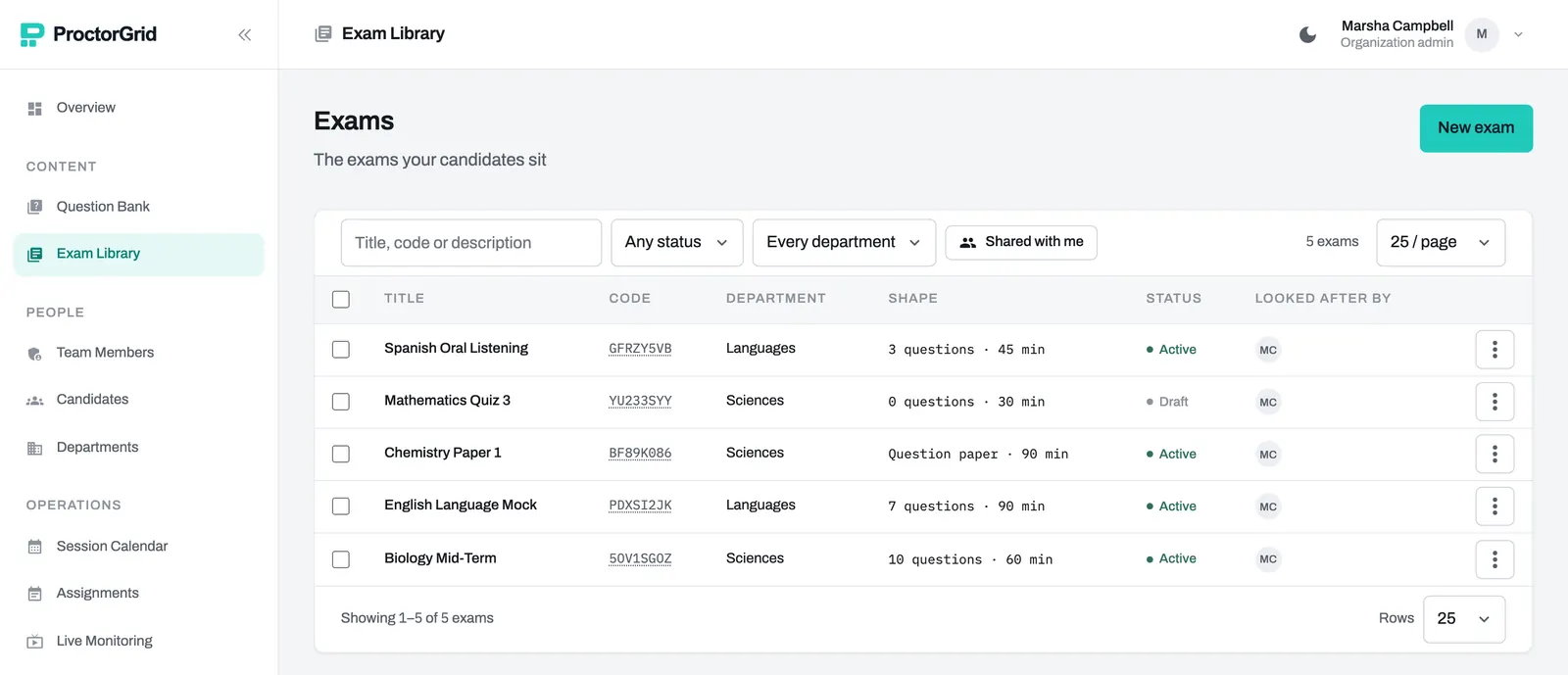
Invite candidates with an assignment code.
Add candidates one at a time or in a batch, and plan sittings on the session calendar. Each candidate gets an assignment code by email. On exam day they enter it and confirm their email with a one-time code. They can then complete the exam without setting up an account password.
Before the exam
- Assignment codes sent by email
- A session calendar for every sitting
- Candidates added one by one or from a spreadsheet
On the day
- A system check before anyone starts
- An optional ID check, reviewed by staff
- Help from a proctor through in-exam chat
- Extra time for one candidate, added during the sitting
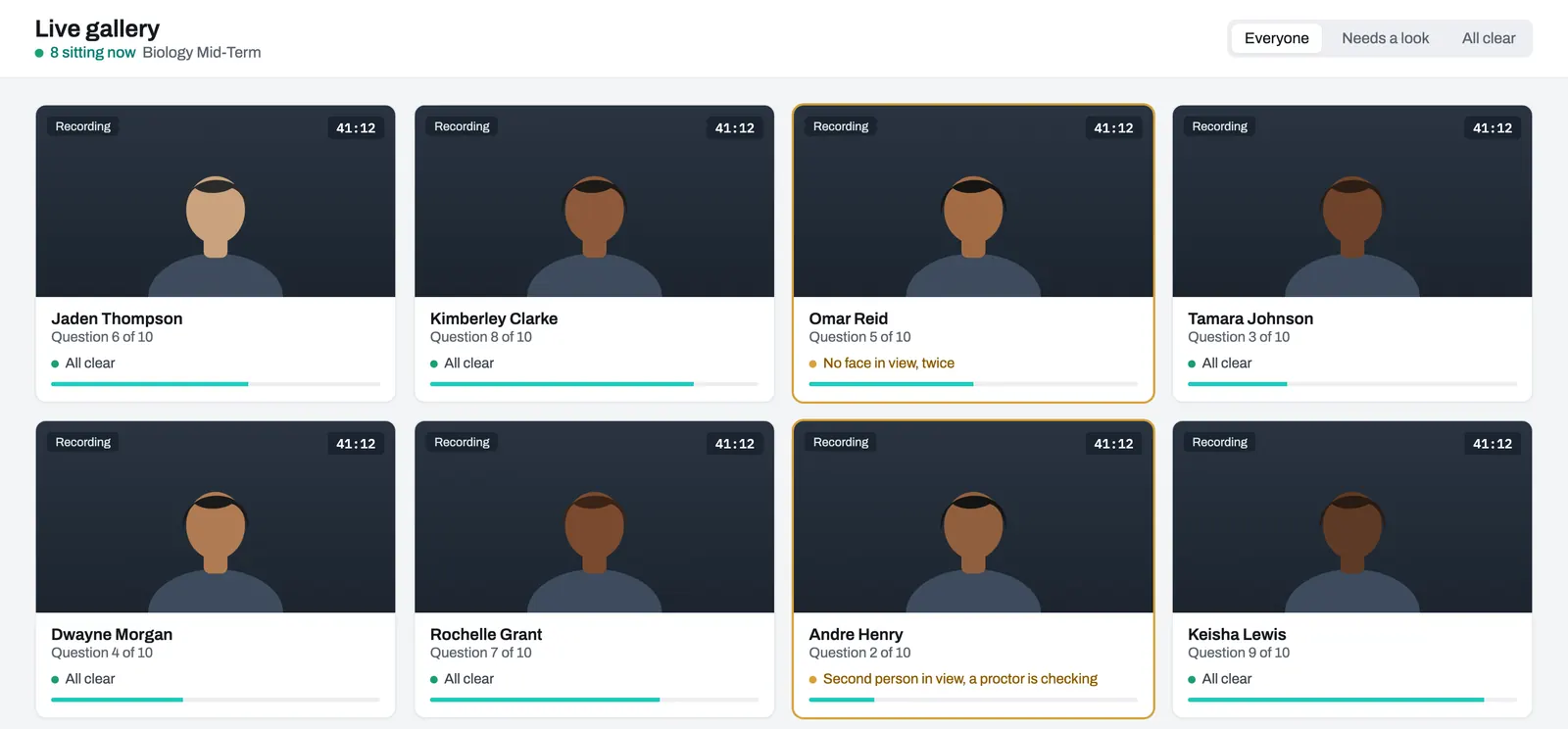
Monitor exams across locations.
Live monitoring shows every candidate in a sitting: their progress, time remaining, and any activity flagged for review. A proctor can message one candidate, or pause or end a sitting when something goes wrong.
Automatic grading with staff review.
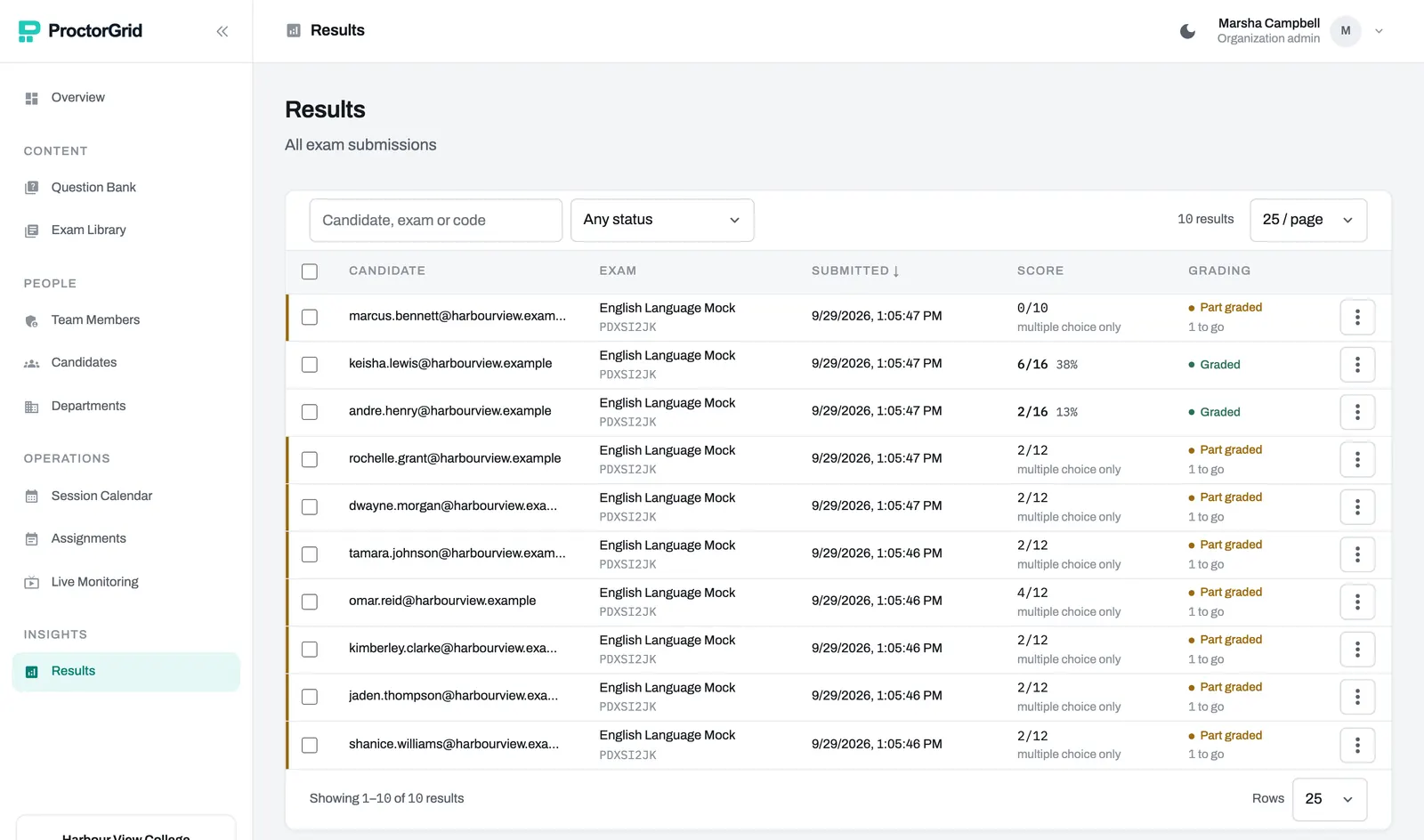
Multiple choice and number answers are marked when the exam is handed in. Written answers wait for a marker, and a submission only counts as graded once every part has been marked. Results can be exported for your records.
The right people see the right things.
Organize staff by department, and give each person a role that fits their job.
- Organization adminRuns the organization's account: staff, departments, exams and results.
- Department adminManages exams and staff within their department, without access to organization settings.
- ExaminerBuilds and runs exams.
- EvaluatorMarks written answers and reviews results.
- ProctorWatches live sittings and helps candidates during an exam.
Exams and questions can be shared with colleagues, and an audit log records who changed what.