LIVE PROCTORING & EVIDENCE REVIEW
Oversight during.
Clarity afterward.
You choose the monitoring settings for each exam. Candidates see the requirements before they start, and flagged activity is available for staff review. Bring live supervision and evidence review into the same exam workflow.
Live monitoring
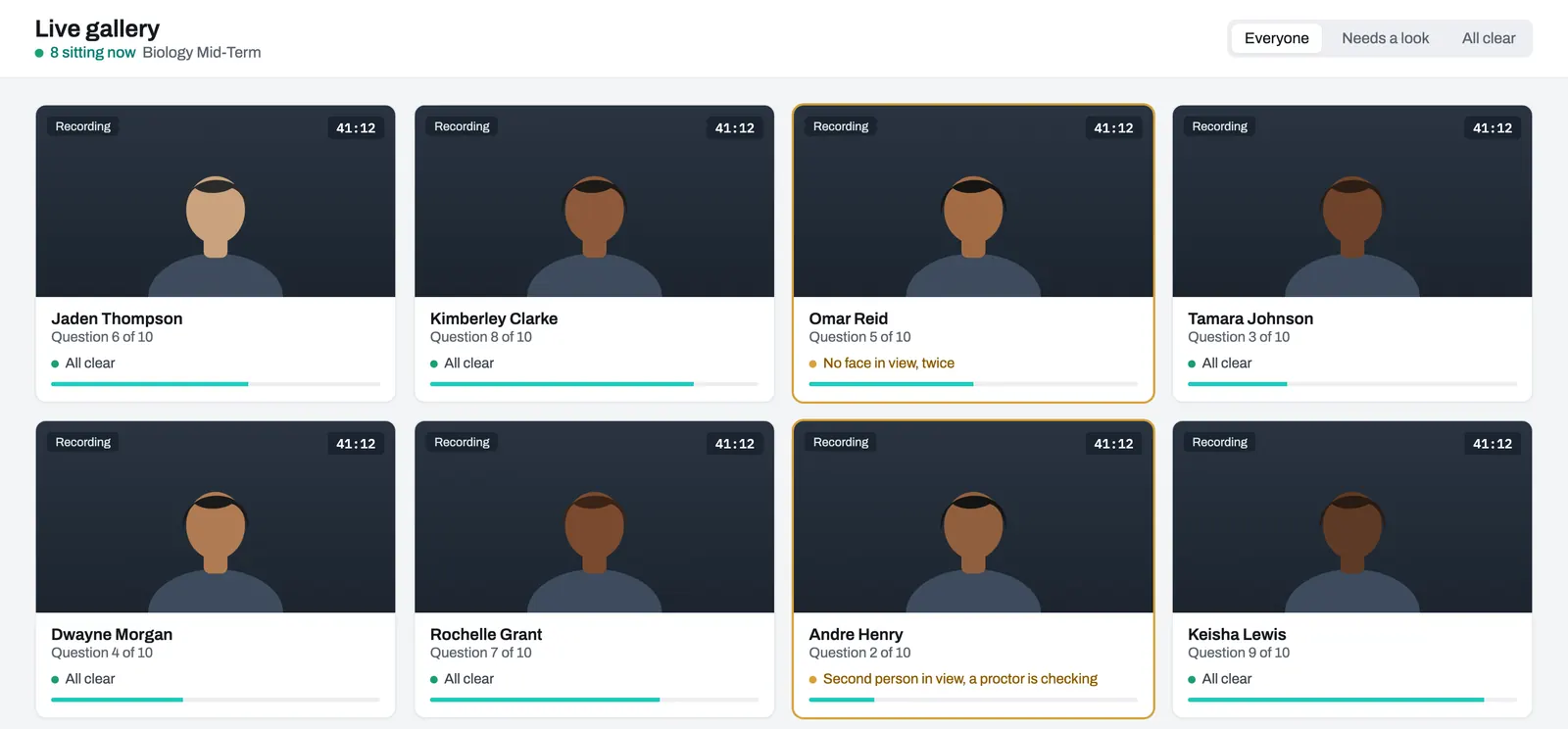
Proctors see every sitting in progress: each candidate's camera and screen when the exam uses them, their progress, how long is left, and anything flagged. They can message a candidate, add time, pause a sitting or end it.
- What it doesHelps proctors monitor candidates across different locations.
- LimitationsProctors still need enough time to review alerts and support candidates. Plan staffing for the number of candidates.
Recording and review
If an exam is set to record, the required camera and screen feeds are recorded during the exam and prepared for playback afterward. Staff can watch it back from the candidate's result, and see what the system flagged on that sitting's page.
- What it doesLets you look again, calmly, after the exam, instead of deciding in the moment.
- LimitationsRecording must be enabled and included in your plan. Capture depends on device permissions and an available connection for upload.
Identity checks
An exam can ask candidates to photograph an ID card and their face before they start. The photos are compared automatically, and anything unclear goes to staff to review. If you allow it, candidates can take the ID photo on their phone by scanning a QR code.
- What it doesHelps staff check that the person taking the exam matches the submitted ID.
- LimitationsUnclear matches need a staff review.
Desktop app and browser compared.
You choose, exam by exam. High-stakes exams usually need the desktop app.
Desktop app, for Windows and Mac
- Can hold the screen on the exam, full screen, and block common shortcuts
- Notices when another program comes to the front, or a monitor is added
- Protects recordings on the computer with encryption before uploading them
- Needs installing before exam day
Browser
- Nothing to install for exams that allow browser access
- Can tell when the candidate leaves the exam tab or window
- Cannot see other programs or extra monitors. A browser does not allow it
- Camera, microphone and screen sharing still work when the exam asks for them
Flags are signals for people.
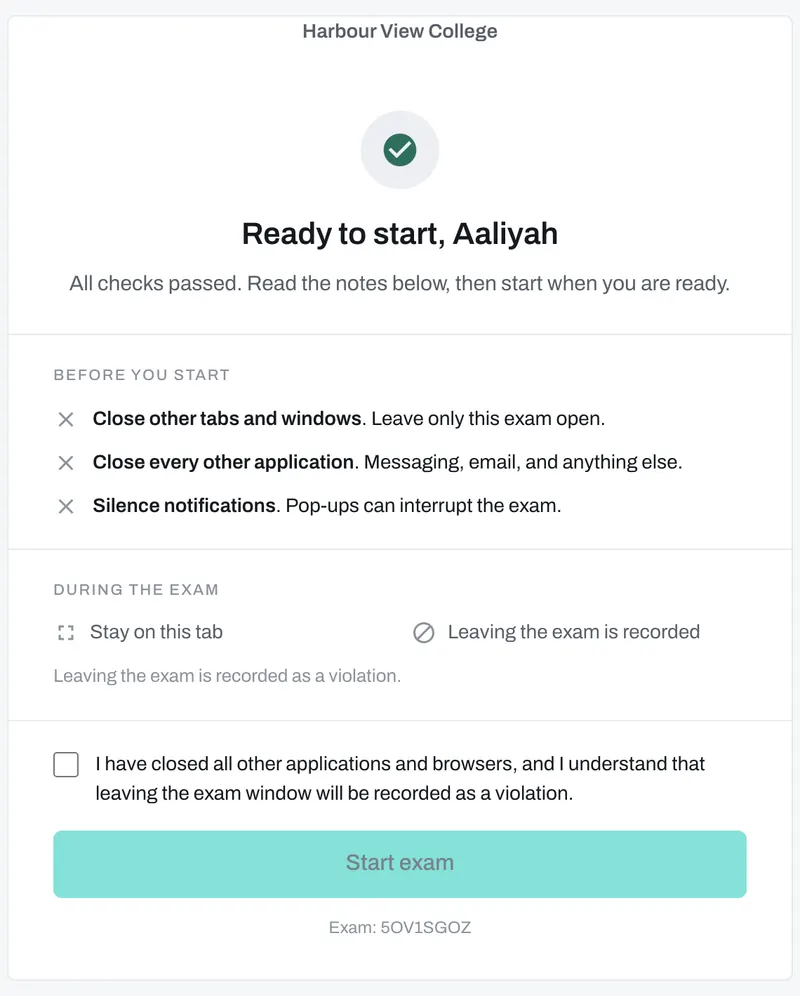
ProctorGrid notices things like no face in view, a second face in view, or leaving the exam window. It records the moment and tells a proctor. It does not decide that anyone cheated, and it does not lower a mark by itself. Candidates see the rules on the screen before they start.
What candidates read before they begin: a plain list of what to close, and a clear statement of what is recorded. They confirm it before the exam starts.